





Android Phone Hanging Reasons and Solutions is a topic many smartphone users search for when their devices become slow or unresponsive. A hanging Android phone can make daily tasks frustrating and reduce productivity.
In most cases, the problem is caused by low storage, too many background apps, outdated software, or malware. The good news is that these issues can often be fixed with simple troubleshooting steps.
In this guide, you’ll learn the most common reasons why Android phones hang and the best solutions to improve performance, increase speed, and keep your device running smoothly.
Main Reasons of Android Phone Hanging
Android phones usually hang due to simple and common issues. Most of them are related to storage, apps, or system performance. Understanding the reason is the first step to fixing the problem.
1. Low Storage Space
When your phone storage is almost full, it slows down. Apps cannot run smoothly when there is no free space. This is one of the most common reasons for hanging.
2. Too Many Background Apps
Many apps keep running in the background. They use RAM and make the phone slow. This causes lag, freeze, and hanging issues.
3. Heavy Apps and Games
Some apps use too much memory and processing power. Low-end phones cannot handle heavy apps easily. This leads to performance issues.
4. Outdated System Software
Old Android versions can cause bugs and slow performance. Updates are important for smooth working. Without updates, the phone becomes unstable.
5. Virus or Malware
Unsafe apps or files can harm your device. They run hidden processes and slow your phone. This can also cause sudden freezing.
Simple Solutions to Fix Android Phone Hanging
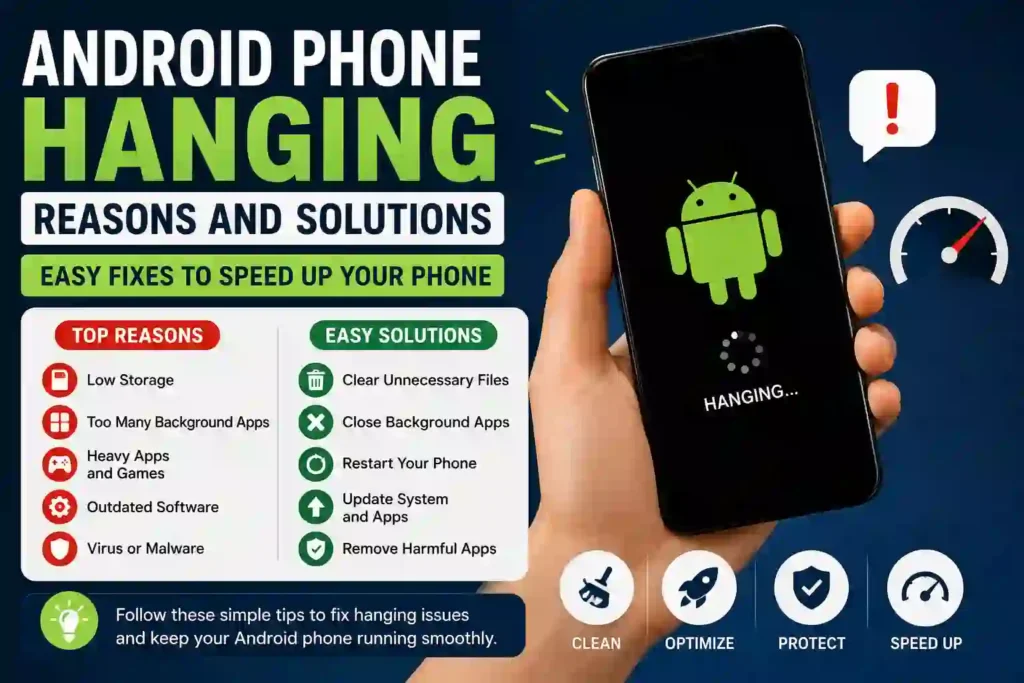
You can fix most Android hanging issues with simple steps. No technical skills are needed. Just follow these easy solutions. These methods improve speed and make your phone smooth again.
1. Clear Unnecessary Storage
Delete unused apps, videos, and files.
Keep at least 20–30% storage free.
This helps your phone run faster and reduces lag.
2. Close Background Apps
Open recent apps and close all running apps. This frees up RAM immediately. It improves performance within seconds.
3. Restart Your Phone
A simple restart fixes temporary glitches. It clears memory and refreshes the system. Do this at least once a day if your phone is slow.
4. Update Your Android System
Go to settings and check for updates. Install the latest version if available. Updates fix bugs and improve speed.
5. Remove Harmful Apps
Uninstall apps you don’t trust or use. Some apps slow down your device in the background. Keep only useful and safe apps.
Advanced Fixes for Severe Android Hanging Issues
If your Android phone is still hanging after basic fixes, you may need deeper solutions.
These steps help when the problem is more serious.
Follow them carefully to improve long-term performance.
1. Clear Cache Partition (System Cleanup)
Cache files can slow down your phone over time. Clearing them removes junk system data safely. This helps improve speed without deleting personal files.
2. Reset App Preferences
Sometimes app settings get corrupted. Resetting app preferences restores default behavior. It can fix hidden performance issues.
3. Safe Mode Check
Boot your phone in Safe Mode. It disables all third-party apps. If the phone runs smoothly, one app is causing the problem.
4. Factory Reset (Last Option)
If nothing works, a factory reset may help. It removes all data and restores original settings. Use this only after backup.
5. Visit Service Center
If hardware is damaged, software fixes won’t work. A professional check is needed. Always go to an authorized service center.
Prevention Tips (How to Stop Android Hanging in Future)
Preventing an Android phone from hanging is easier than fixing it. A few small habits can keep your phone fast and smooth for a long time.
These tips also improve battery life and overall performance.
1. Keep Storage Clean Regularly
- Do not let your storage get full.
- Delete unnecessary files every week.
- A clean storage space keeps your phone responsive.
2. Install Only Trusted Apps
Download apps only from official sources like the Play Store. Avoid unknown APK files. This reduces the risk of malware and slow performance.
3. Avoid Heavy Apps on Low-End Phones
- Old apps can become slow or buggy.
- Updates improve stability and speed.
- Turn on auto-update if possible.
5. Restart Your Phone Weekly
A simple restart clears temporary memory issues.
It keeps your phone fresh and fast. This is an easy maintenance habit.
Conclusion
Android phone hanging is a common issue, but it is not permanent. Most problems happen due to storage, apps, or system load. By following simple fixes, you can improve speed and performance easily. Regular maintenance keeps your phone smooth for daily use. If the issue is serious, advanced solutions or expert help may be needed.
A clean and updated phone always works better.
Why does my Android phone hang often?
Your phone hangs mainly due to low storage, heavy apps, or too many background processes. Sometimes outdated software or malware also causes this issue.
How can I fix a slow Android phone quickly?
You can restart your phone, clear storage, and close background apps.
These simple steps usually improve speed immediately.
Does a factory reset fix a phone hanging?
Yes, a factory reset can fix serious performance issues.
It removes all bugs and restores original settings, but it deletes all data.
How can I stop my Android phone from hanging in the future?
Keep storage clean, update apps regularly, and avoid heavy apps.
Also restart your phone weekly for better performance.
 Minahil111
[…] 5. Remove Harmful Apps […]
[…] to Make Your Android Mobile Phone Faster Android Phone Hanging Reasons and Solutions MacBook Air vs MacBook Pro: Which One Is Better in 2026 LED vs QLED TV: Which One Is Better in […]
[…] How Google Algorithms Are Shaping Technology and SEO in 2026 💻 Laptop vs Desktop — Which One Is Right for You? 10 Advantages and Disadvantages of Using Mobile Phones How to Make Your Android Mobile Phone Faster Android Phone Hanging Reasons and Solutions […]